
DMX Core 100: programming and setup tools
DMX Core 100: programming and setup tools
Part of What's new in DMX Core 100 - August to October 2026
Channel Tester (Oct 21)
Under Utilities, pick a slot and the tester takes over all 512 channels, sending your levels through the output mapping to every output that slot feeds.
- A fader per channel, a tap grid on your phone, or a console-style command line (
1 thru 8 @ full,par1 @ 50,all rel) with a live preview. - Reset puts the captured levels back when you're done.
- Think of it as the Output Monitor in reverse: it sends levels instead of showing them.
Faders page (Aug 25)
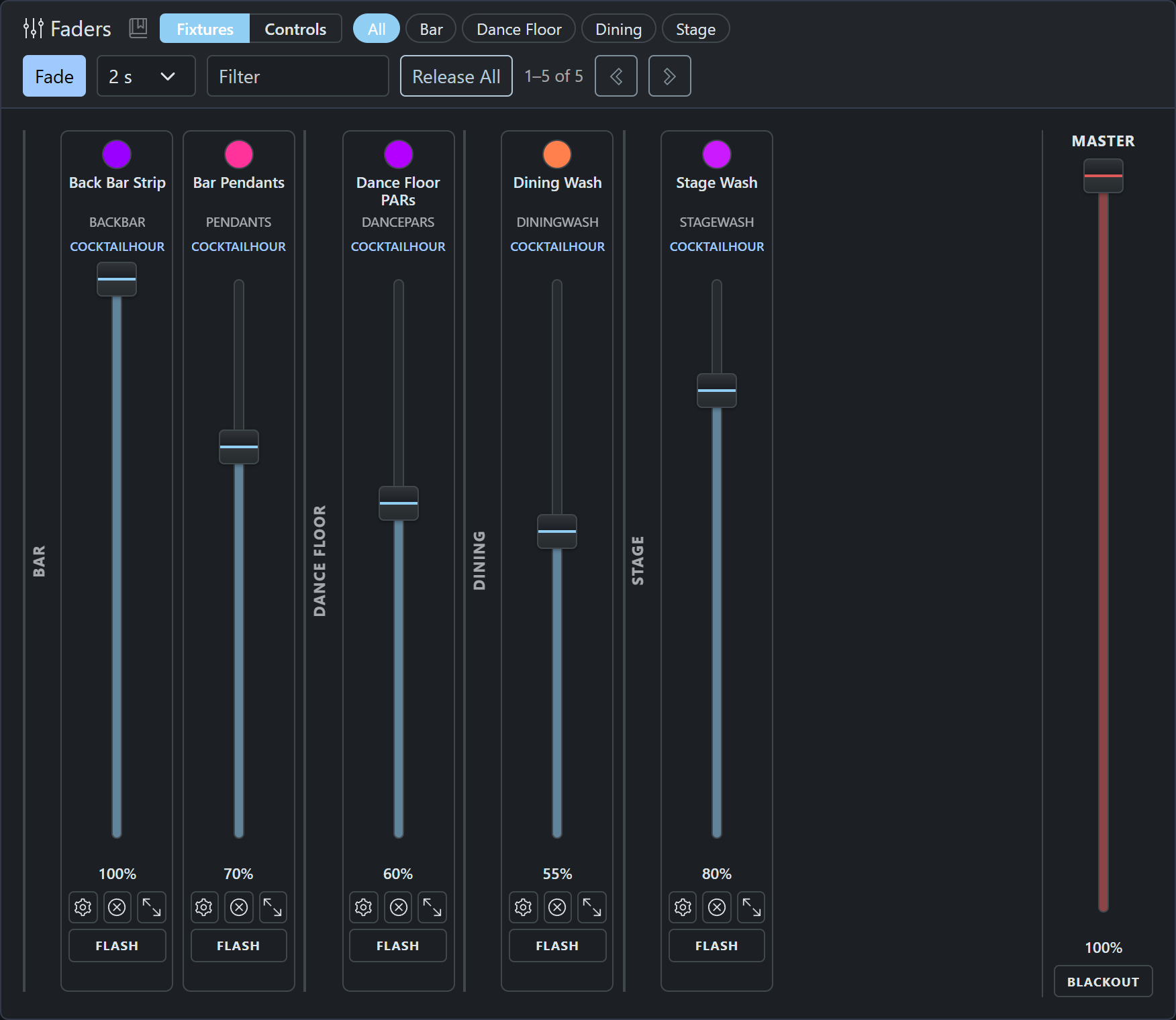
Console-style vertical faders for every dimmable fixture, zone banks with submasters, grand master, FLASH buttons, fine-drag precision mode and per-strip release. Fade mode (0.5-30 s) or Shift+drag glides to a level; fades run on the device and continue if the browser closes. Since Oct 14, Fade works on the color wheel too.
2D Visualizer (Aug 31)
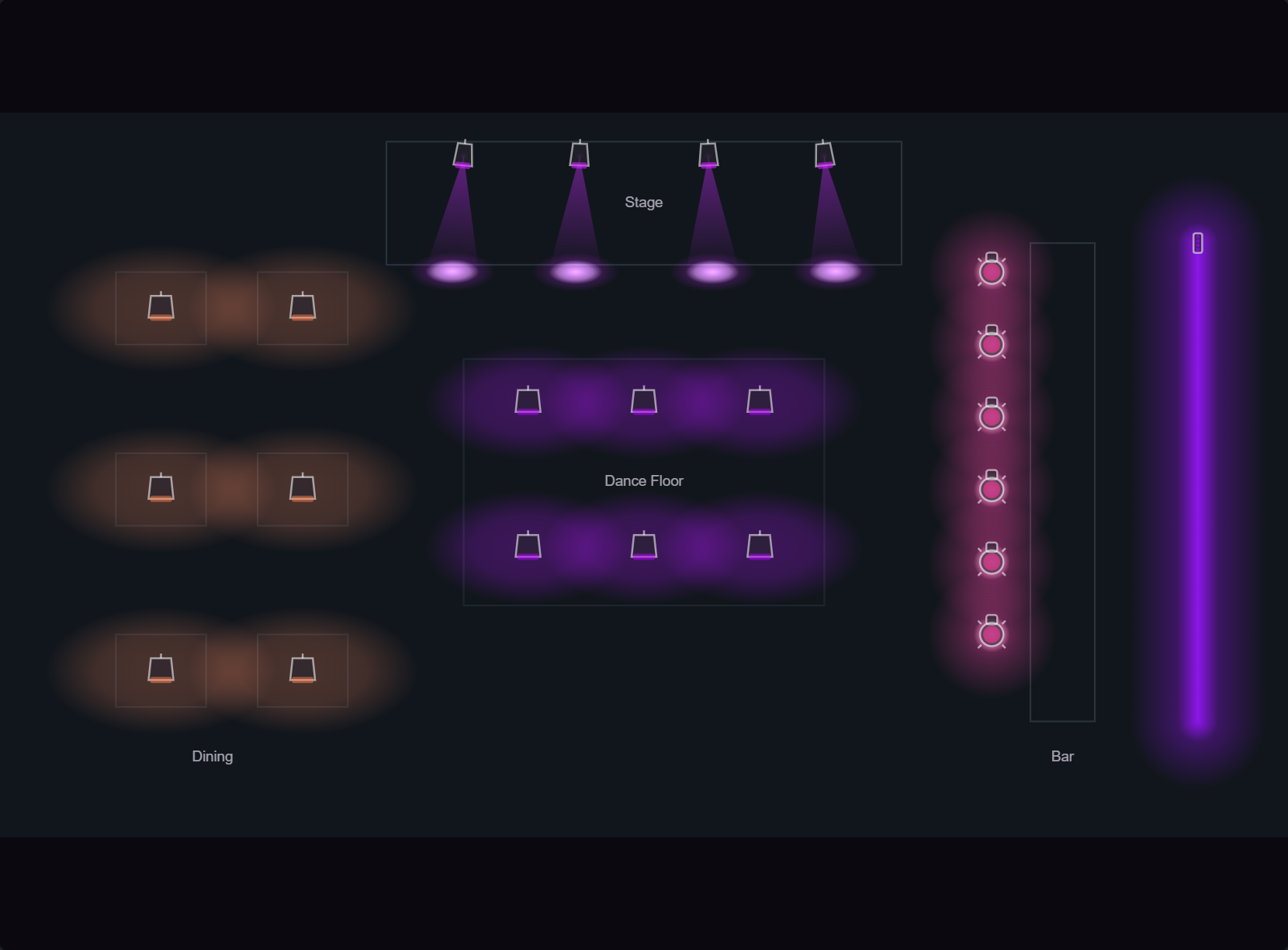
Place fixtures on photos of your venue, or on a truss canvas with a small scenery kit, and see presets, fixture control and effects light them up live. The same fixture can appear on many views. Multi-copy fixtures can be placed as a strip with per-copy trims and Solo right from the photo.
Scene Panel (Sep 29)
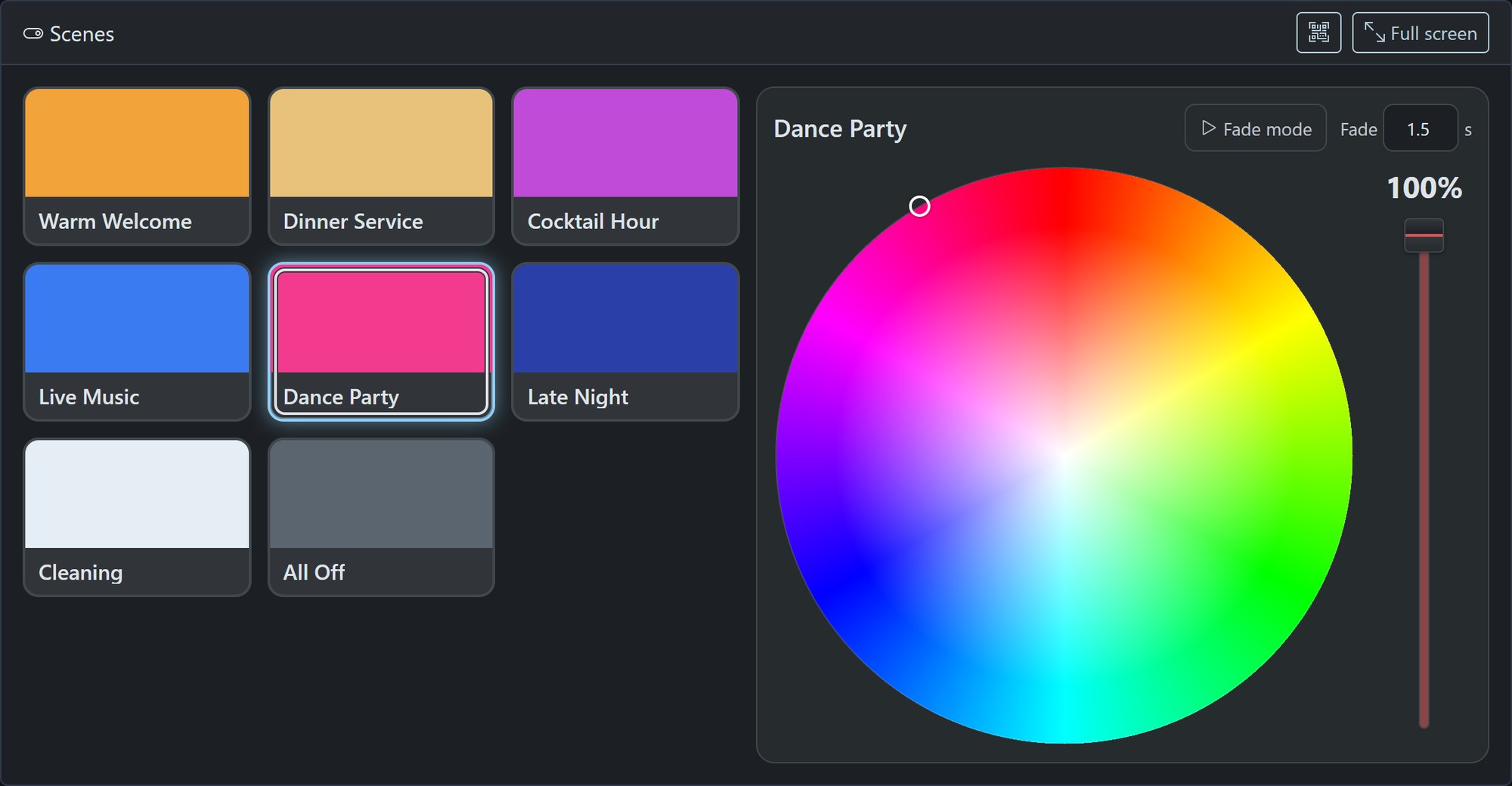
A touch page of preset tiles with a color wheel and scene dimmer in a dock, cross-fading between scenes. Tweak a look and save it back, save it as new, or revert. A full-screen version suits wall tablets and can be opened to guests.
Fixtures, timecode and remote access
- More fixture profiles (Aug 24 - Oct 20). Import Avolites Titan personalities (.d4) from the 20,000+ fixture Avolites Personality Library, and add profiles from Lightkey, Daslight, GDTF Share or Avolites without leaving Fixture Setup. GDTF color wheels, gobos and prisms become named controls. Export profiles as DMX Core JSON to edit or move between units.
- Copy Trims (Aug 16). Dim individual copies of a multi-copy fixture without splitting it, with a Solo button to identify each unit.
- Timecode chase (Sep 2-4). Lock a timeline to incoming Art-Net ArtTimeCode. Play joins the live clock instead of starting at zero, with per-timeline stream, Offset, After Roll, Auto Stop, Auto Resume and Auto Start. After a restart the timeline re-locks at the current timecode. Timecode only mode refuses manual starts.
- Remote Screen (Sep 21). On the hardware unit, see and operate the touchscreen from the Web UI, locally or through the cloud tunnel, with no VNC viewer. Up to two viewers at once, and a small red mark on the touchscreen shows it's being viewed.
Smaller changes
- Plugin registry (Aug 17) - install and update plugins from the Browse tab on the Plugins page, with hourly update checks and a Notify / Auto / Off policy. Anyone can publish a plugin.
- Lightjams recorder import (Aug 25) - import Lightjams Art-Net recorder videos as cues, with original frame timing and multi-universe sync.
- Compressed cue storage (Sep 16) - shrink real recordings 3-5x and play them back in place; optionally store every new take compressed. Wireshark opens the files directly.
- Recording improvements (Sep 7 - Oct 20) - play, pause and restart a just-saved take from the Record page; recordings longer than 71 minutes keep correct timing; updates no longer restart a unit mid-take.
- Channel Rules everywhere (Oct 16) - caps and scales apply to the final output, whatever drives it. The new Repeat rule tiles a channel range across a destination: send one RGB color and light a whole pixel tape.
- Schedule endings (Sep 16) - Fade-Out Time is honored at a schedule's end, schedules can run scripts, and a new Schedule ended event runs a closing script.
- Input Triggers with live state (Sep 24) - a State column shows Triggered or Idle, the last value and how long ago, for every trigger type.
- Device Monitor (Sep 28 - Oct 18) - scanned devices are tracked by MAC address when they change IP, serial DMX interfaces are listed by make and serial number, and Ping checks work on Linux snap installs.
- Windows install via winget (Oct 6) -
winget install DMXProSales.DMXCore100, with every stable release published automatically. - Animated home screen logo (Oct 21) - custom logos can now be (animated) WebP.
- Quick start video (Oct 14) - the Dashboard's Getting started card links to our five-minute quick start video.
- Smoother first run and security (Sep 30 - Oct 1) - new installs open with setup suggestions instead of red warnings, the Web UI reloads itself after an upgrade, and a configured system that kept the factory PIN no longer advertises it or signs visitors in automatically.
Other topics: Control systems and integration - Protocols

